We ask how old someone is, and route them accordingly
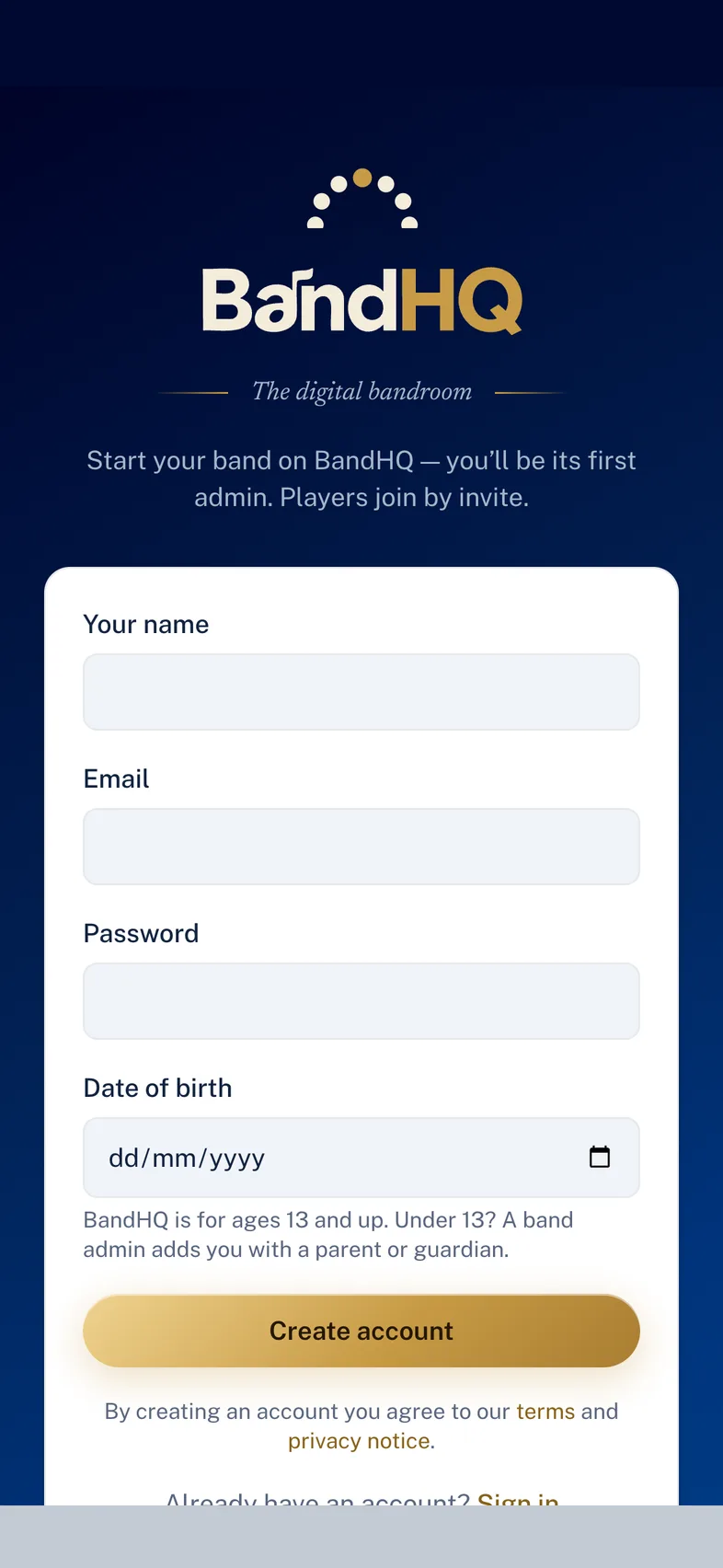
Everyone gives a date of birth when they join. Age is worked out on the server every time it matters, never taken from the browser’s word for it.
- 13 and over can create their own account, as UK data protection law allows.
- Under 13s cannot sign themselves up at all. A band admin adds the child and names a parent or guardian, who has to accept before the child’s place is active.
- Ages are re-checked daily, so a member who turns 13 or 18 stops being treated as younger than they are without anyone having to remember.
A parent gets their own way in — not their child’s password
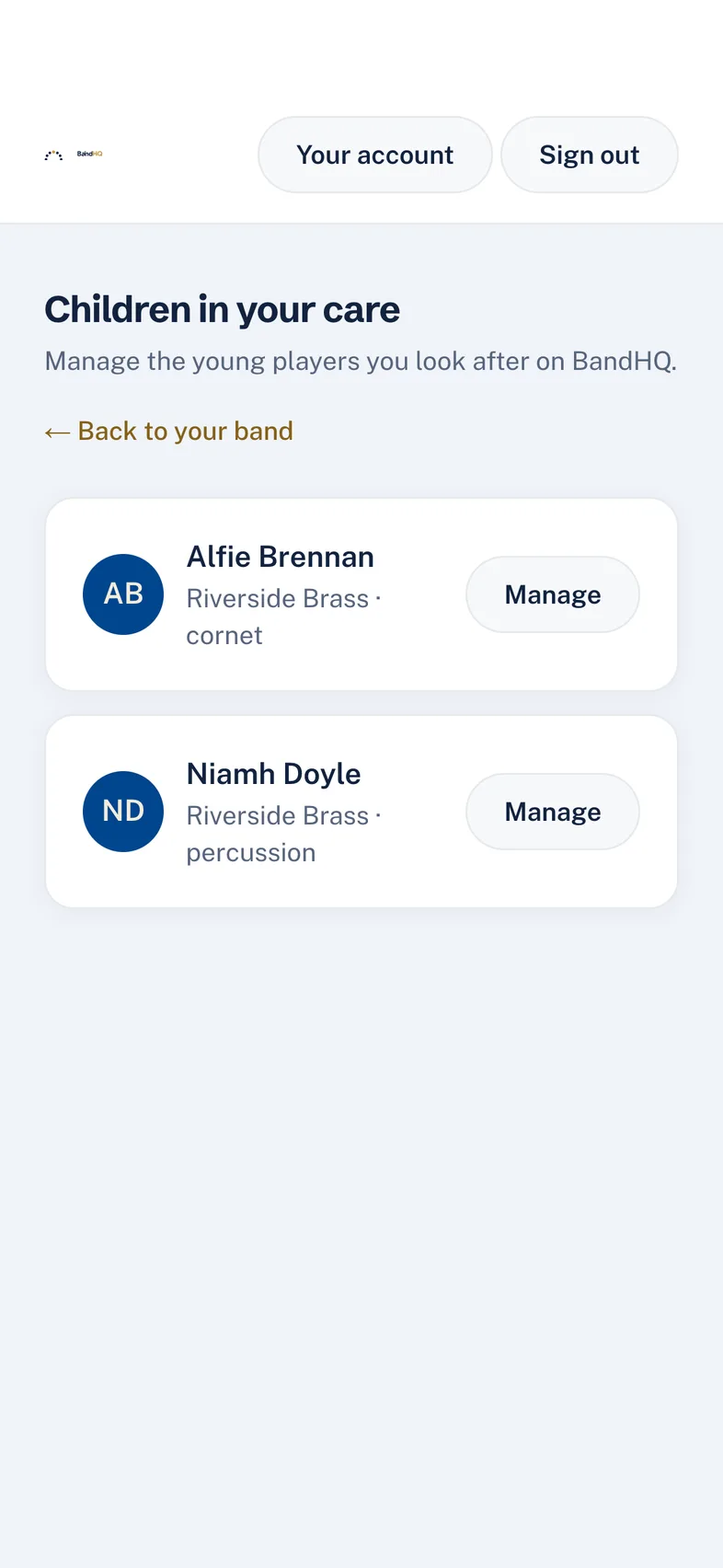
When a band adds an under-13, their guardian is emailed an invitation. The guardian signs in as themselves and manages the young players in their care from their own area of the app.
- The child’s membership stays inactive until the guardian has accepted.
- A guardian does not need to be a member of the band to have an account.
- Consent, and the link between guardian and child, are recorded.
Under-18s get the most private settings, and can’t be talked out of them
The ICO’s Children’s Code expects high-privacy defaults for anyone under 18. In BandHQ these are not defaults a young player can be nudged into loosening — the database enforces them.
- A minor’s practice log is reduced to a signal: the musical director sees whether they are on track, never their sessions, minutes or dates.
- Contact details are visible only to the member themselves and their band’s admins.
- The setting is re-applied whenever the record changes, so it cannot be edited away.
An adult and a child can never open a private chat
Direct messages are useful, and they are also the obvious grooming route. BandHQ separates the two questions: how much private messaging a band wants, and the line no band is allowed to cross.
- Bands choose their own policy — private messages off entirely, adults only, or open to all members.
- Whatever the policy, an adult and a known under-18 can never be in a one-to-one. It is refused by the database, not hidden by the interface, so it holds on the web app and the phone app alike.
- Where an age is unknown, the safer assumption wins: an under-18 is protected from anyone whose age has not been confirmed.
Why it is built this way
A safeguard that lives in the app can be bypassed by anything that talks to the database directly — a new screen, a future mobile release, a mistake. Putting the rule in the database means it is enforced once, for everything.
Anyone can report; admins review rather than delete quietly
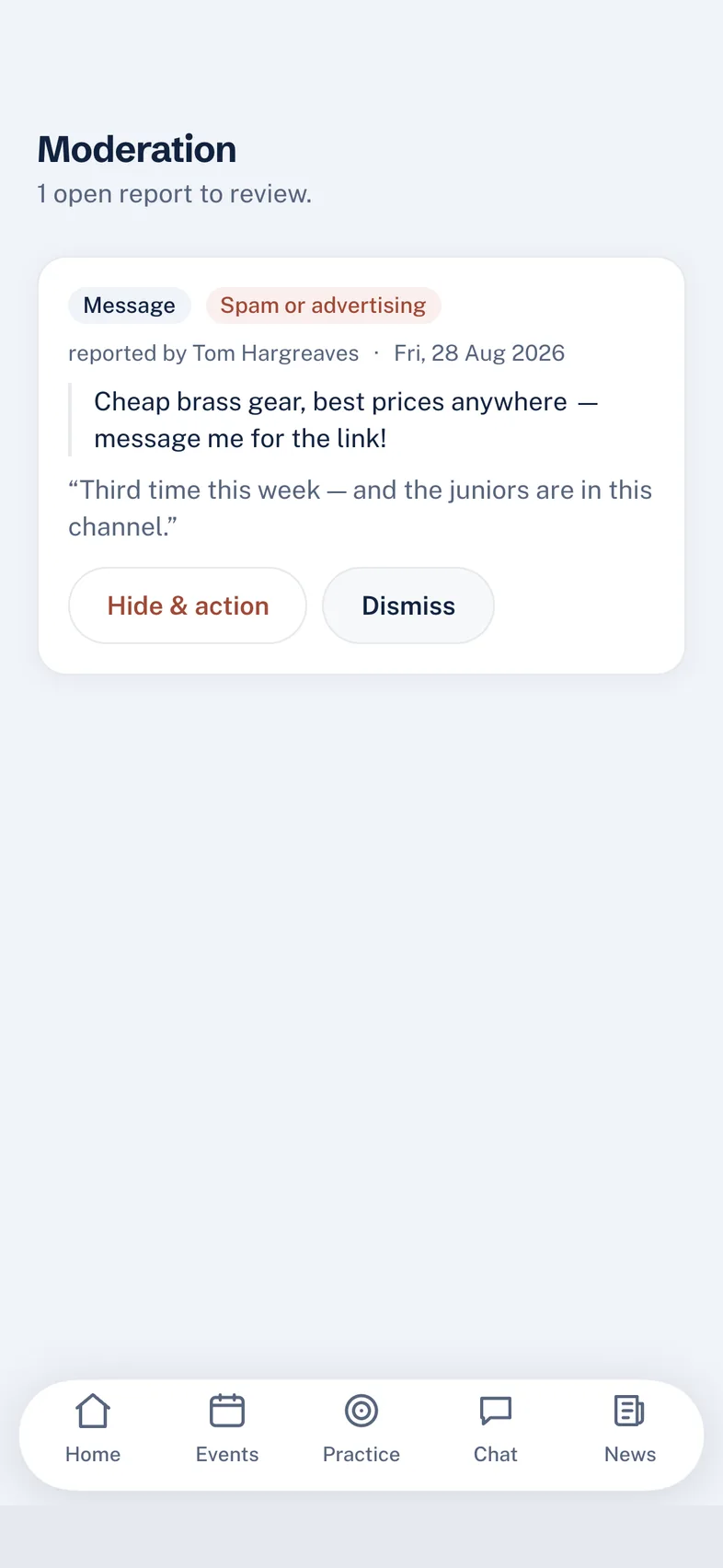
Every message carries a report and block control, and reports land in a queue the band’s admins work through.
- Email addresses and phone numbers typed into chat are automatically masked — the standard first move in taking a child off-platform.
- A blocklist can reject a message outright or redact a term, and each band can add its own.
- Blocking someone hides their messages from you, without announcing it to them.
- Admins hide or dismiss with a record of who acted and when.
Images are scanned, in the EU
Photos shared in chat are checked automatically for explicit and illegal content, and anything flagged is quarantined and raised for review. The scan runs on a European endpoint, so the image is not sent outside the EU to be checked.
What BandHQ deliberately does not do
A safeguarding page that only lists strengths is not much use to the person deciding whether to trust it.
- We do not verify age. There is no ID upload and no face-based age estimation. For a community app used by bands who know their own members, that would be disproportionate — and it is the band, not an algorithm, that knows who a player is.
- We rely on the band. Adding a child, naming their guardian and taking a report seriously are all things a band’s committee does. BandHQ makes them possible and keeps the record; it does not supervise the band.
- Automatic checks are a net, not a guarantee. Text and image moderation catch a great deal and will never catch everything, which is why reporting is one tap from every message.
Reporting something serious
If a child is at immediate risk, contact the police on 999. To raise a safeguarding concern with us, email safeguarding@usebandhq.com — and see the Child Safety & Acceptable Use policy for the rules every member agrees to, and what happens after a report.
Everything on this page is in the app today
These are shipped controls, not a roadmap. Where something is partial — the timing of image scanning in §6 — it is written down as partial. If you find a claim here that doesn’t match what the app does, tell us and we will correct the page.