Deleting your account is a you decision, done inside the app, without asking anybody.
How
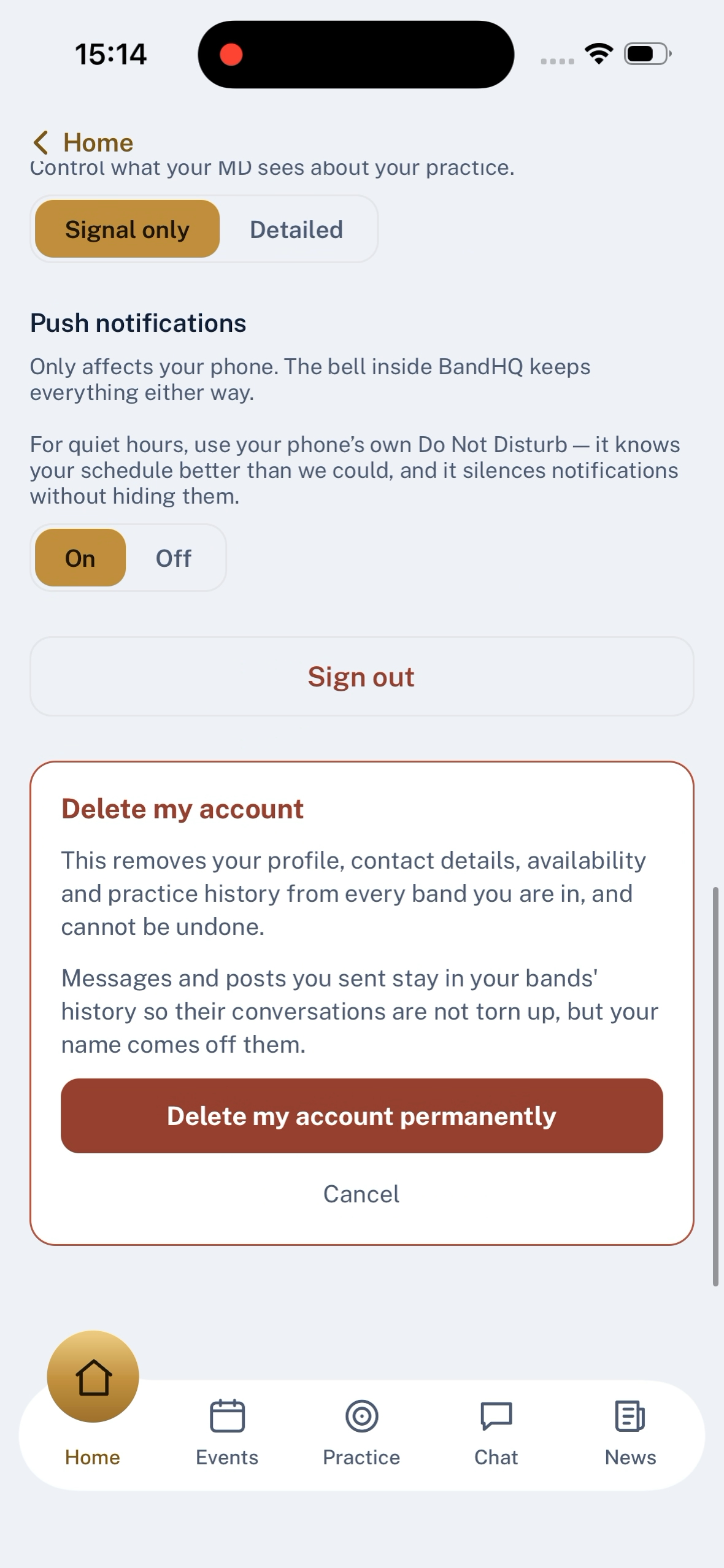
Menu → My profile → Delete my account — at the bottom of the profile page. A confirmation panel opens, saying plainly what goes and what stays. Confirm and the account is erased; the app returns to the sign-in screen.
What goes
Everything about you, across every band you are in:
- Profile, contact details, section and instrument
- Availability history and event reminders
- Practice log and any targets you were set
- Reactions and notifications
- Any images you uploaded
- The auth login itself
What stays
Anything you posted in a shared space — chat messages, announcements, comments — is kept, but with your name taken off. It reads as Former member. That is a deliberate choice: deleting your own history is a right, deleting other people's conversations is not.
If a report was open about something you posted, the report survives without your identifier attached, so the safeguarding record cannot be scrubbed by leaving.
One thing that will stop you
Deletion is refused if you are the only administrator of a band — the app won't let you leave the band orphaned. Appoint another admin from the roster first, then come back to your profile and delete.
Or take a copy first
Right next to the delete button is export. You can download a machine-readable copy of everything BandHQ holds about you before you go.
Or ask a person
If you would rather have a person do it for you, or something in this description does not match what you see, email privacy@usebandhq.com. We will not make you jump through hoops to leave.
Last updated 2026-09-03